1.) Go to Admin Condole
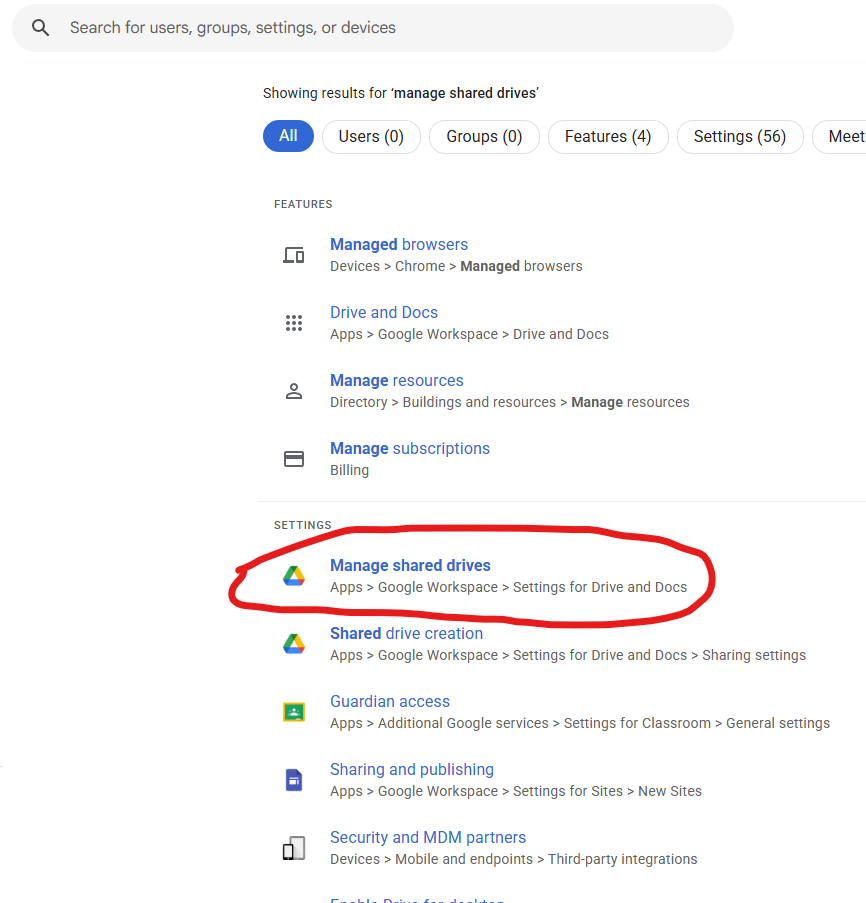
2.) At the very top, search for, MANAGE SHARED DRIVES
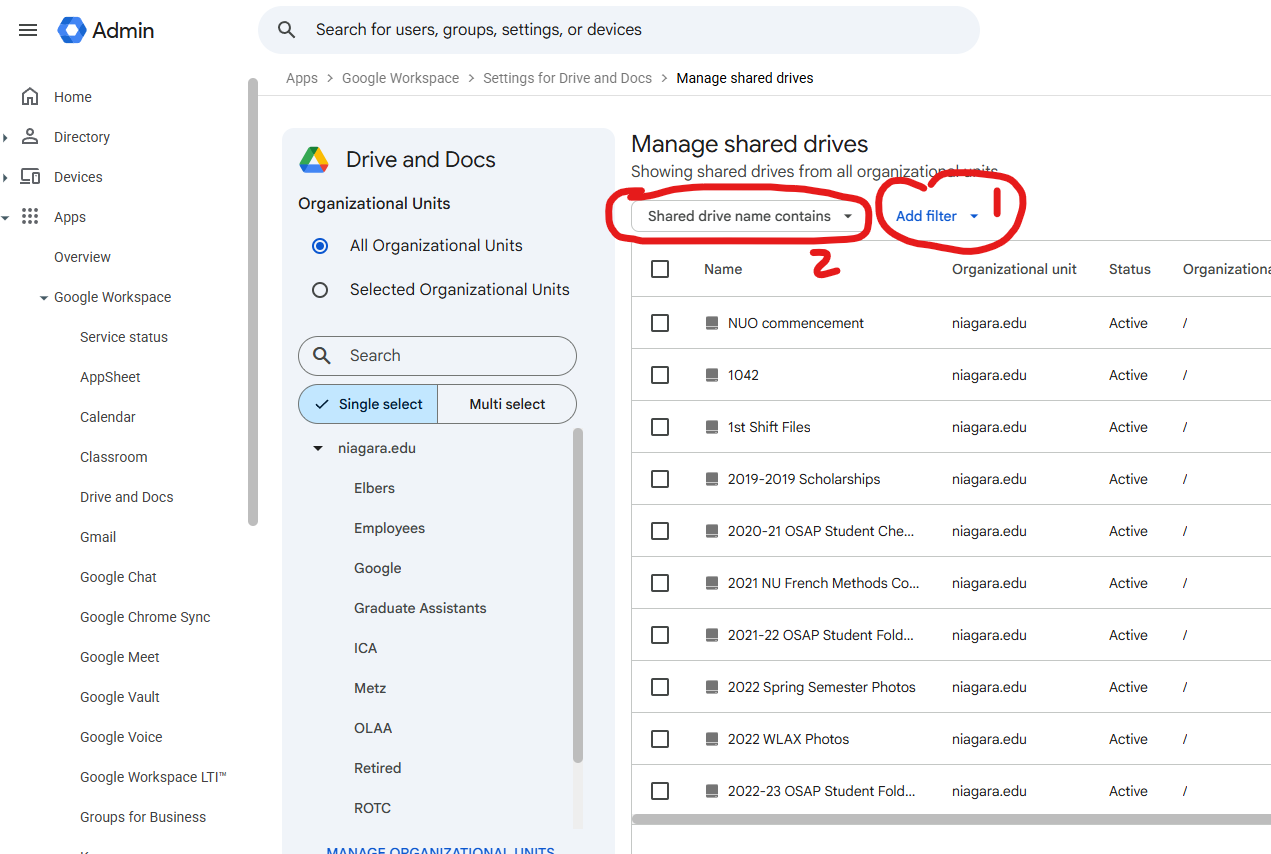
3.) Type in the Name of the Drive
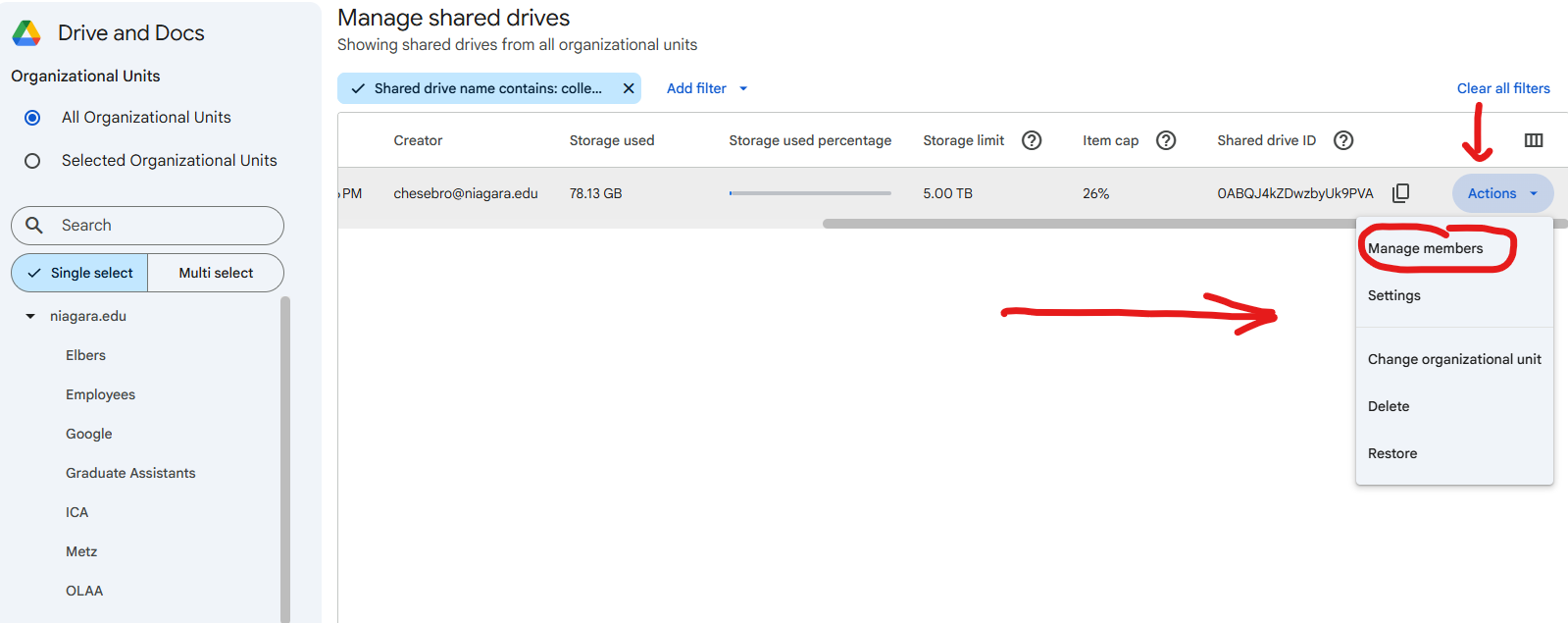
 4.) Slide to the Right and Choose Manage Members
 5.) Add the User as Content Manager and Send a Message That User is All Set.
Was this article helpful?
That’s Great!
Thank you for your feedback
Sorry! We couldn't be helpful
Thank you for your feedback
Feedback sent
We appreciate your effort and will try to fix the article