To Change your Voicemail PIN:
-Log into your account by going to: https://service.ringcentral.com
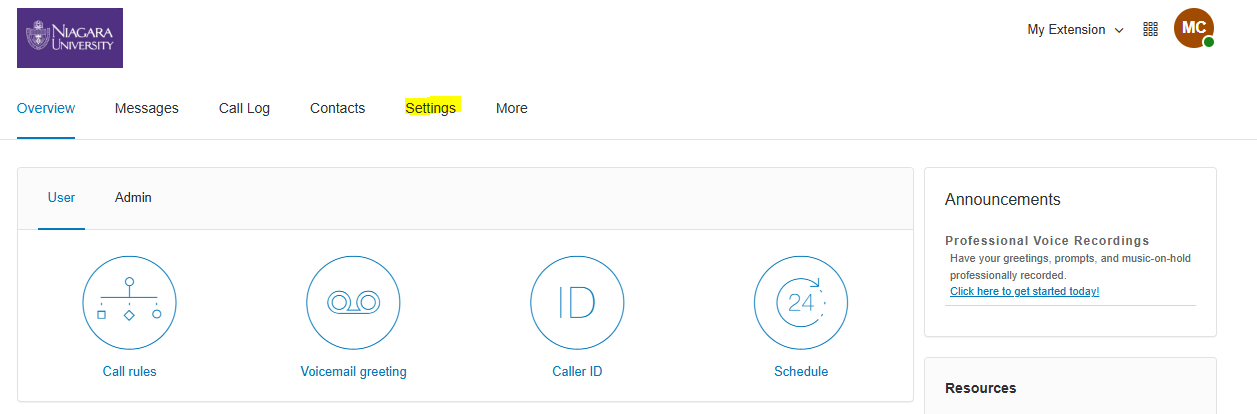
-After logging in click on settings:
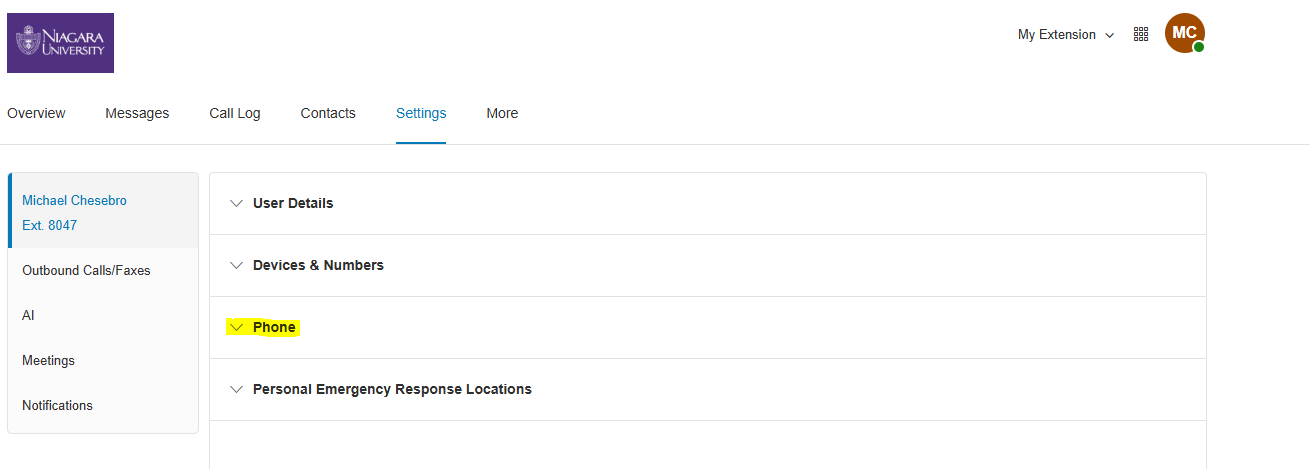
-Then Click on Phone:
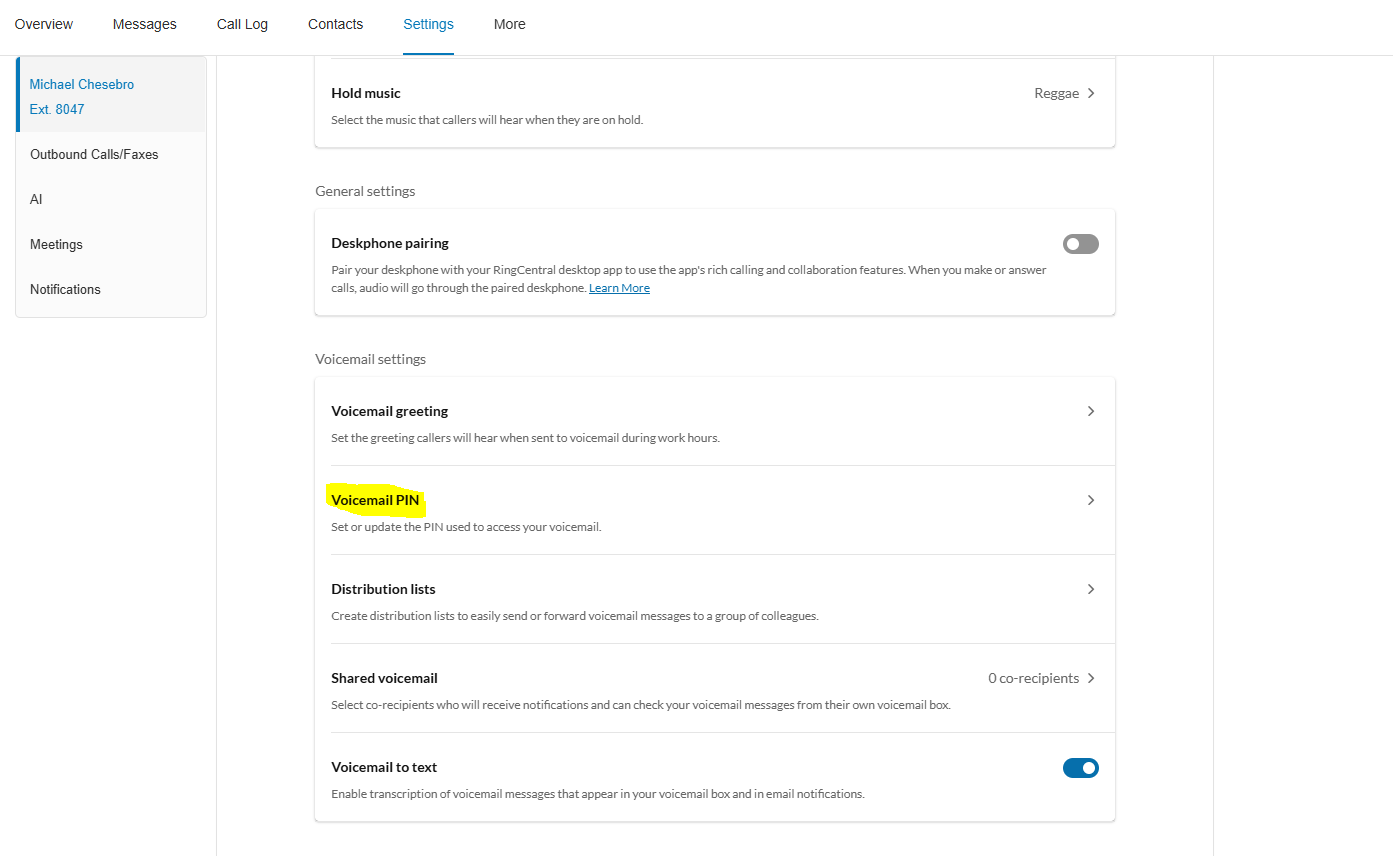
-Then Voicemail PIN:
-Then input your new PIN between 6-10 digits:
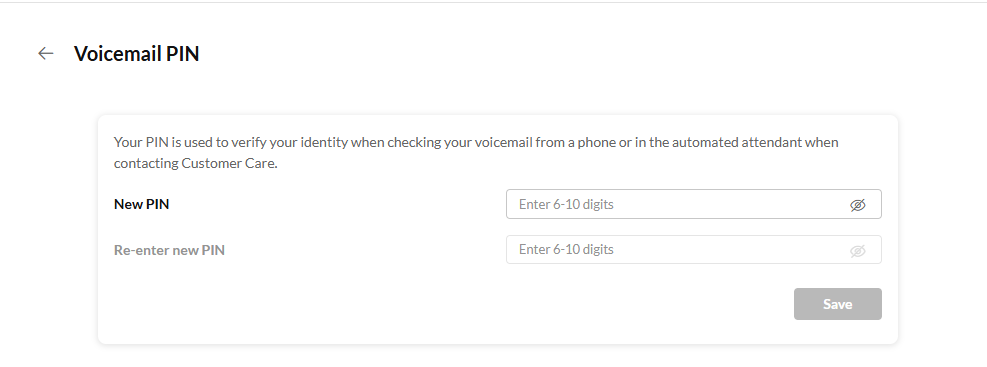
- Save and then you should be good to go.
Was this article helpful?
That’s Great!
Thank you for your feedback
Sorry! We couldn't be helpful
Thank you for your feedback
Feedback sent
We appreciate your effort and will try to fix the article